minibar
A tidy menu bar for your Mac. Small on the outside, everything you need inside.
Free. macOS 14 Sonoma or later, Apple silicon and Intel. Notarized by Apple. No account, no server, no tracking.
Direct link: minibar.mintrix.net/downloads/minibar-for-Mac.zip
What it looks like
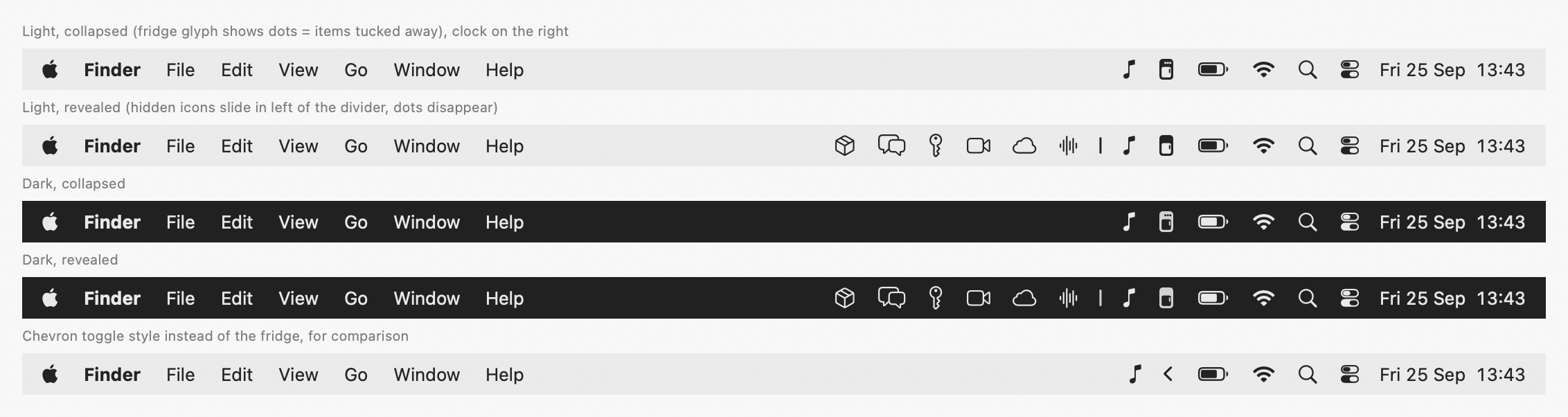
Collapsed, the fridge glyph shows three dots: icons are tucked away. Click it and they slide back in, left of the divider.
How it works
- Hold ⌘ and drag any menu bar icon to the left of the divider | to hide it.
- Click the minibar icon to show the hidden icons. They hide again after a few seconds, or when you click elsewhere.
- Turn on the always-hidden section for icons you almost never need. ⌥-click to see them.
Built for the notch
On a MacBook with a notch, macOS only has the strip to the right of the notch for icons, and silently drops the rest. minibar gives you three ways around it.
Hidden items panel
A strip under the menu bar shows pictures of your hidden icons. Click one and minibar forwards the click to the real icon, even when it doesn't fit beside the notch.
Always-hidden section
Fewer icons competing for space right of the notch.
Tighter spacing
Compact and Tight presets use macOS's own spacing settings to fit about a third more icons. Direct-download build only.
Everything else
Reveal your way
Click, keyboard shortcut, hover over the icon, or scroll on the menu bar.
Smart re-hiding
Hides after a delay you choose, or when you click outside the menu bar, and never while a menu is open.
Clock and calendar
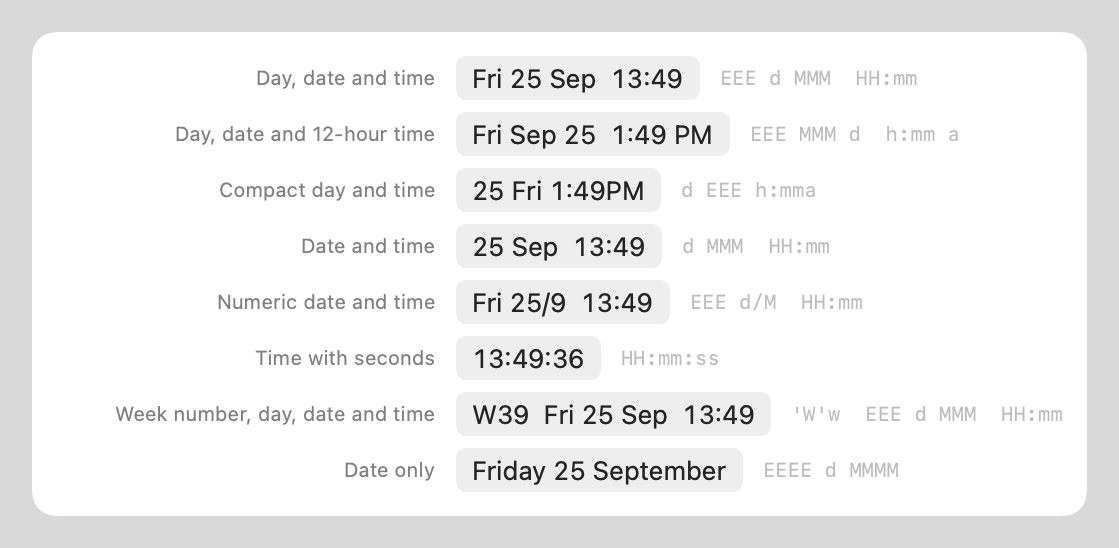
An optional Day-O style clock: date and time in your own format, with a month calendar when clicked.
Your icon, your way
Fridge, chevron, ellipsis, dot, lines or eye. Template images that follow light and dark mode.
Launch at login
One toggle. No Dock icon, no app menu, nothing in your way.
Private by design
No account, no network access, no analytics. Screen Recording and Accessibility are optional and only used for the panel.
The clock
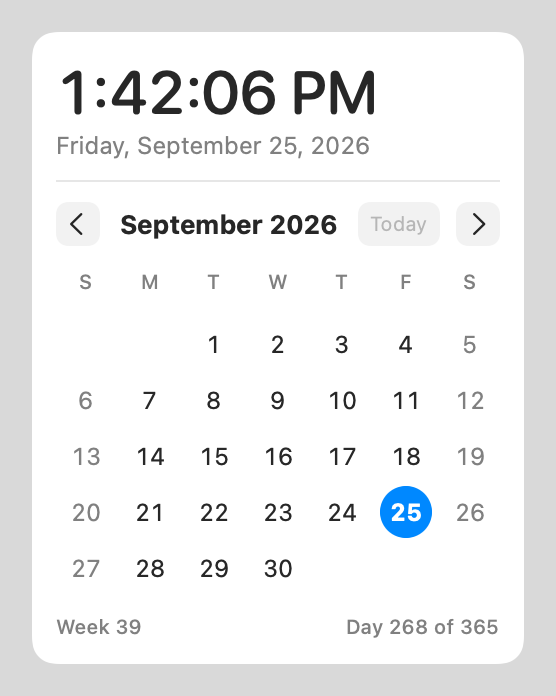
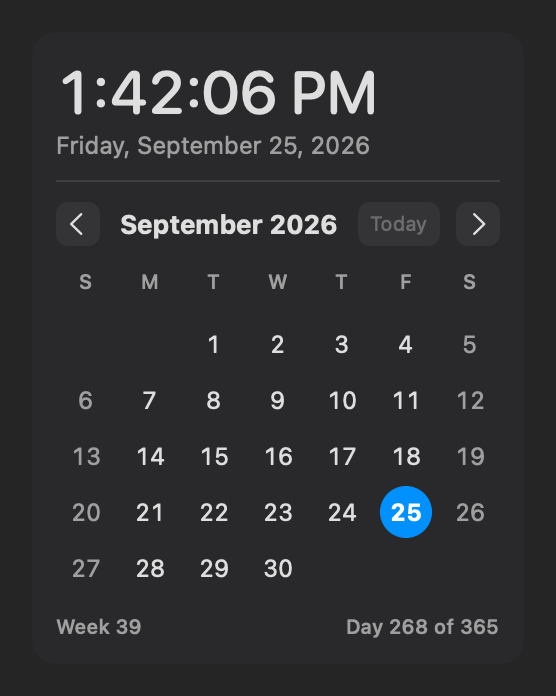
Seven format presets or your own pattern, with a live preview in Settings.
TestFlight beta
The TestFlight beta is being set up. Until the public link is live, use the direct download above, which is the same app signed and notarized by Apple.